Show acknowledgement in bulk notifications
1
votes
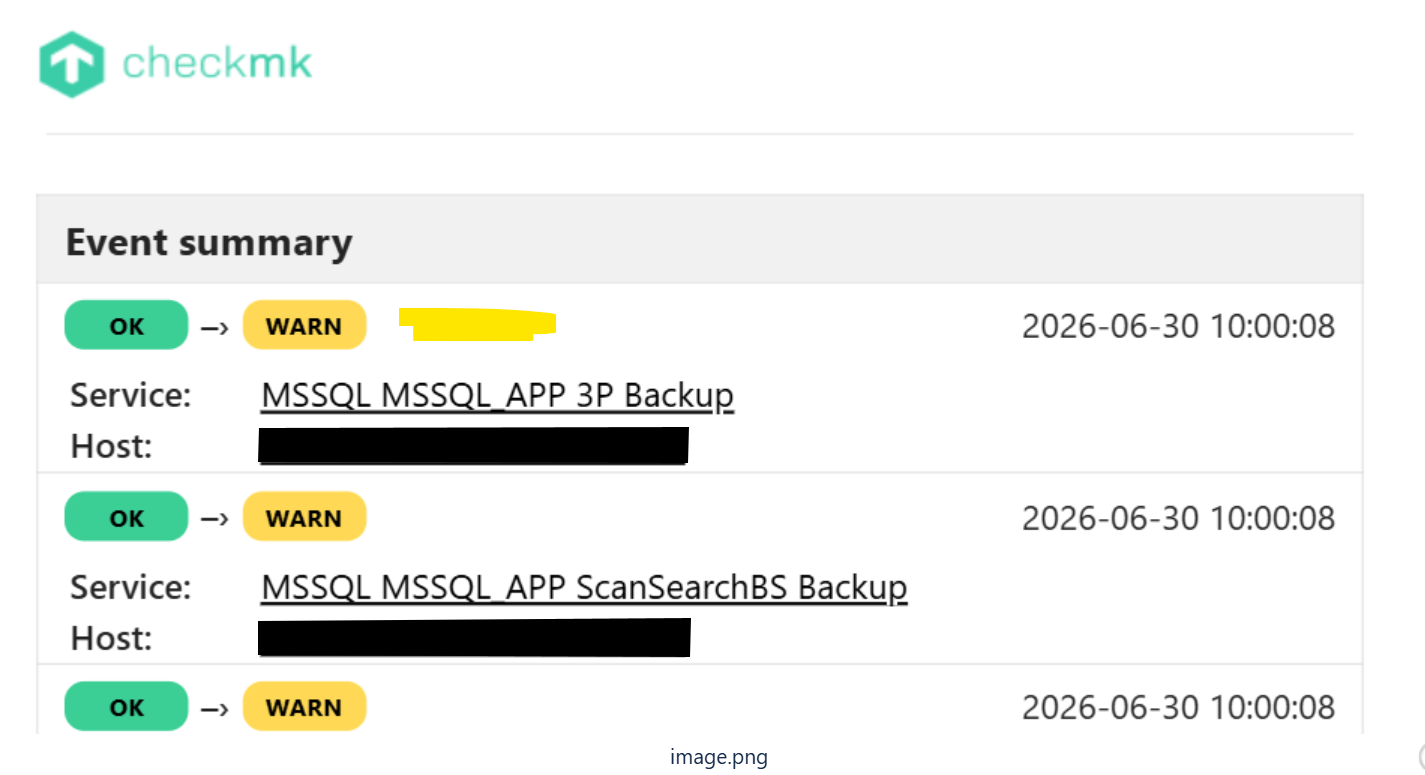
At the moment when you receive a bulk notification e-mail for acknowledgements, at the top all services are shown with their previous state and current state and a date of state changed.
That date and time is the only way of knowing that it isn't a recent notification.
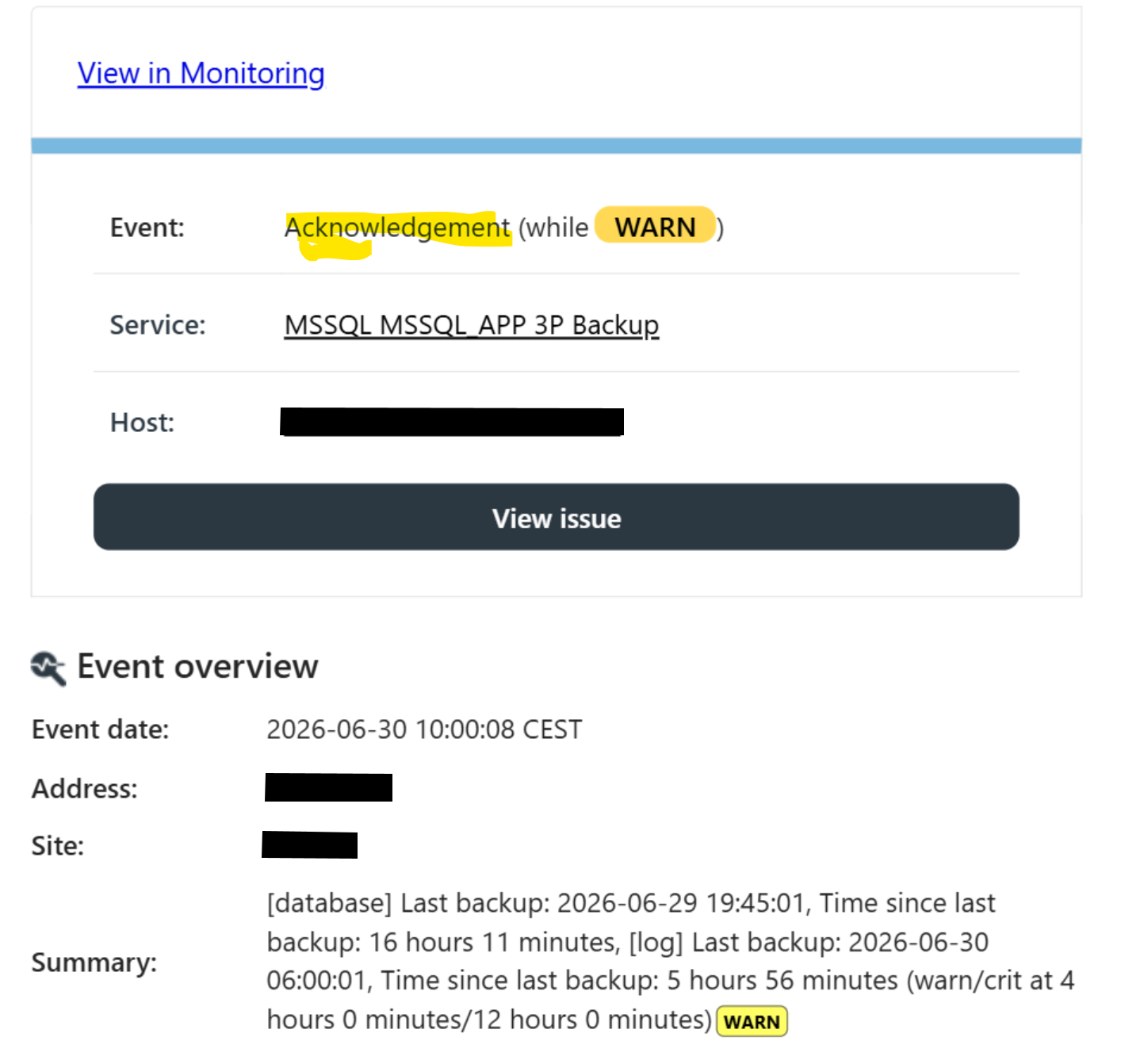
Only when scrolling down to the details of the service notification we can see that it's an acknowledgement.
I think it would be clearer when the summary at the top shows Warn --> Acknowledgement instead of OK --> Warn (Date Time when this happened).
Or maybe show OK --> Warn (Acknowledged)